PDF scanner and signer · iPhone
Paper in. PDF out. Nothing leaves your phone.
Pagezy turns paper and photos into clean PDFs, then merges, splits, compresses, locks and signs them. It all happens on your iPhone, with no account, no upload and no watermark.
- Works offline
- No account
- No watermark
Your first 5 results are free. Requires iOS 17 or later.
How it works
Three steps from paper to a finished PDF
No sign-up, no waiting for an upload. Pagezy does the work right on your iPhone.
- 1
Scan or import
Point the camera at a page and Pagezy finds its edges and straightens it. Or pick photos, or bring in a PDF you already have. Choose colour, grey or black and white.
- 2
Fix it up
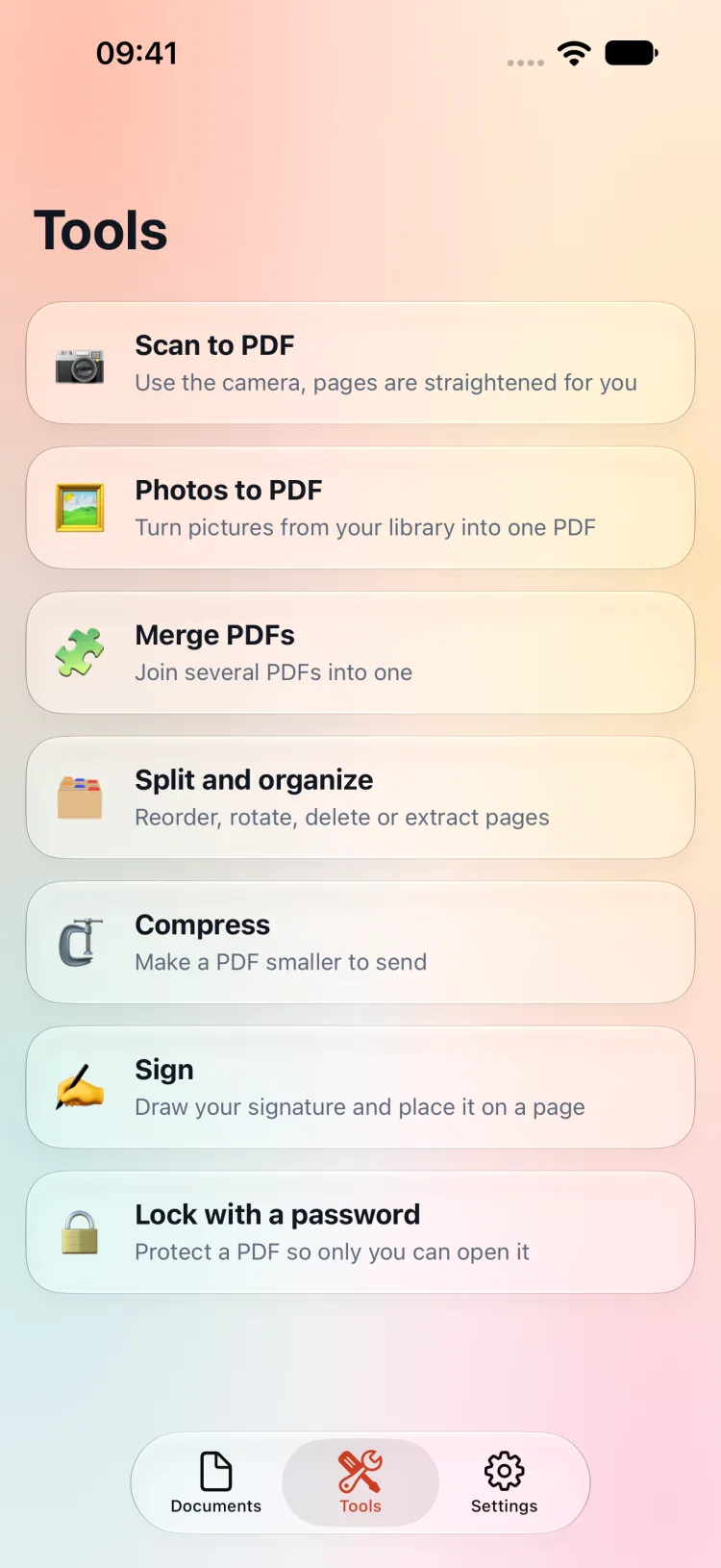
Merge several PDFs, reorder, rotate, delete or extract pages, compress a file to send it, lock it with a password or draw your signature onto a page.
- 3
Share it
Your PDFs live in a Pagezy folder in the Files app. Share them by mail, messages or AirDrop, or rename and delete them whenever you like.
Features
Everything you do with a PDF, in one app
Few screens and few buttons, and all of it runs on your own iPhone.
Scan paper into a PDF
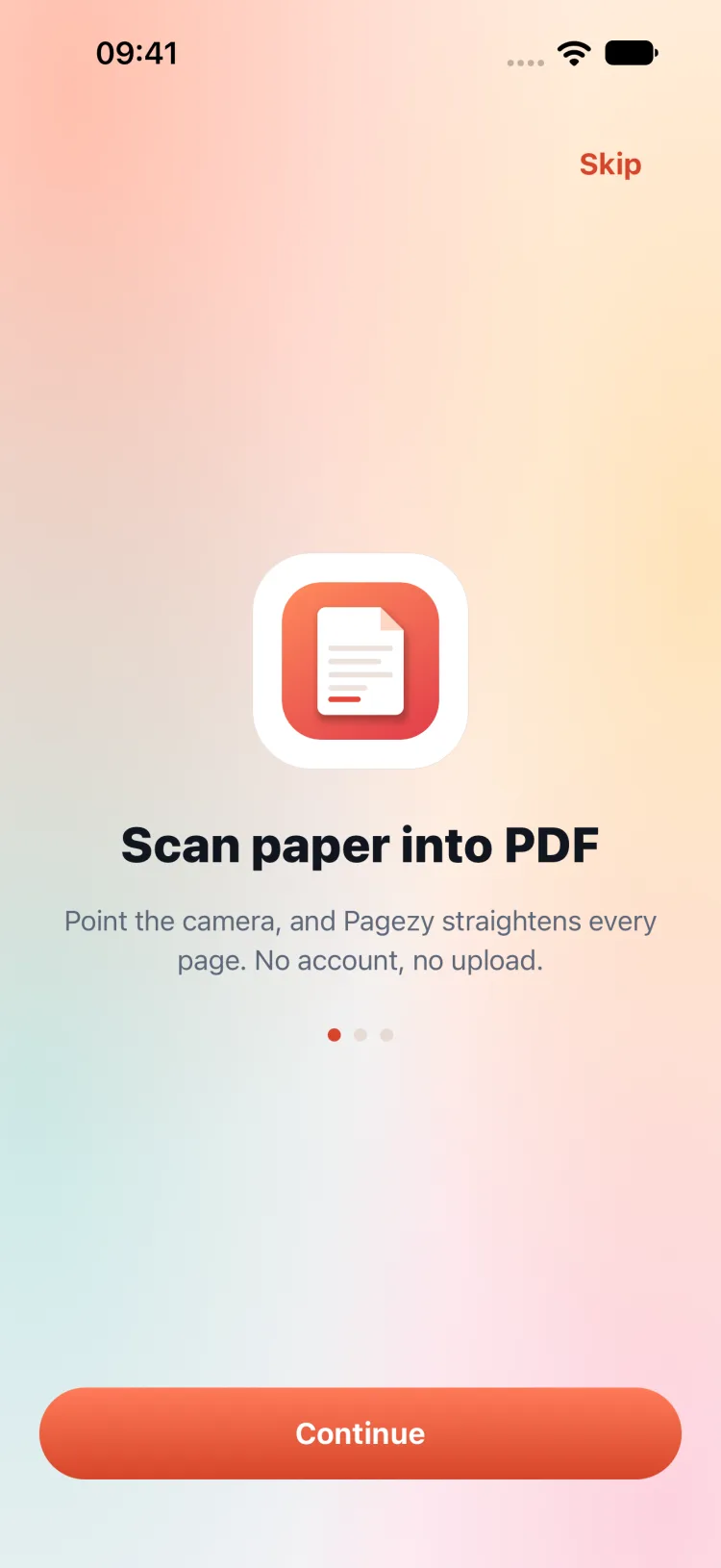
The document camera finds the edges of the page, straightens it and lets you scan as many pages as you need. Pick colour, grey or black and white for each scan, then save it as one PDF.
Photos to PDF
Choose pictures from your library and turn them into a single PDF, with the same colour, grey and black-and-white filters.
Merge, split and organize
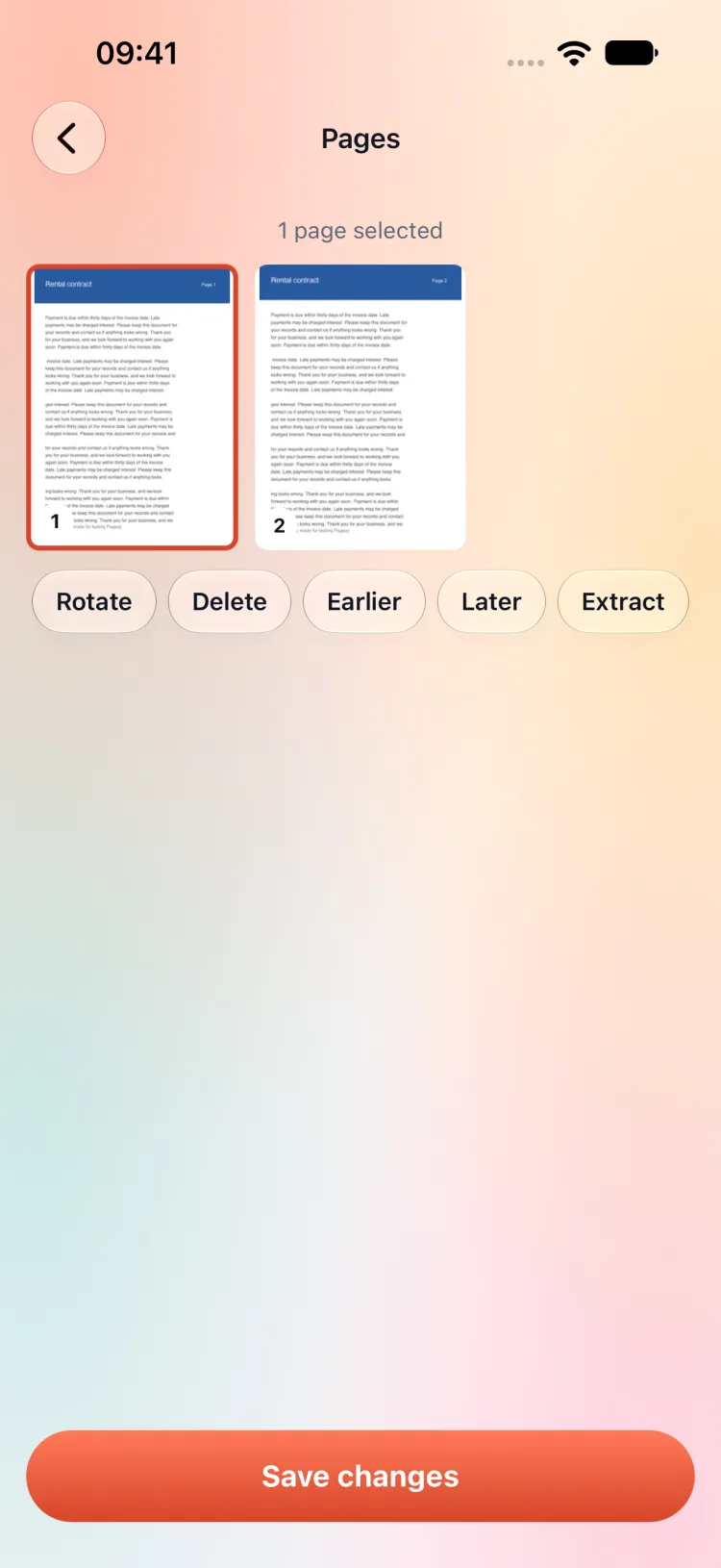
Join several PDFs into one. Reorder, rotate, delete or extract pages with a tap, and save the result as a copy or replace the original.
Compress to send
Three levels, from light to smallest. Pagezy keeps your original and saves the new file only when it is really smaller.
Lock with a password
Protect a PDF so only you can open it, and remove the password again whenever you want. The password is not stored anywhere.
Sign by drawing
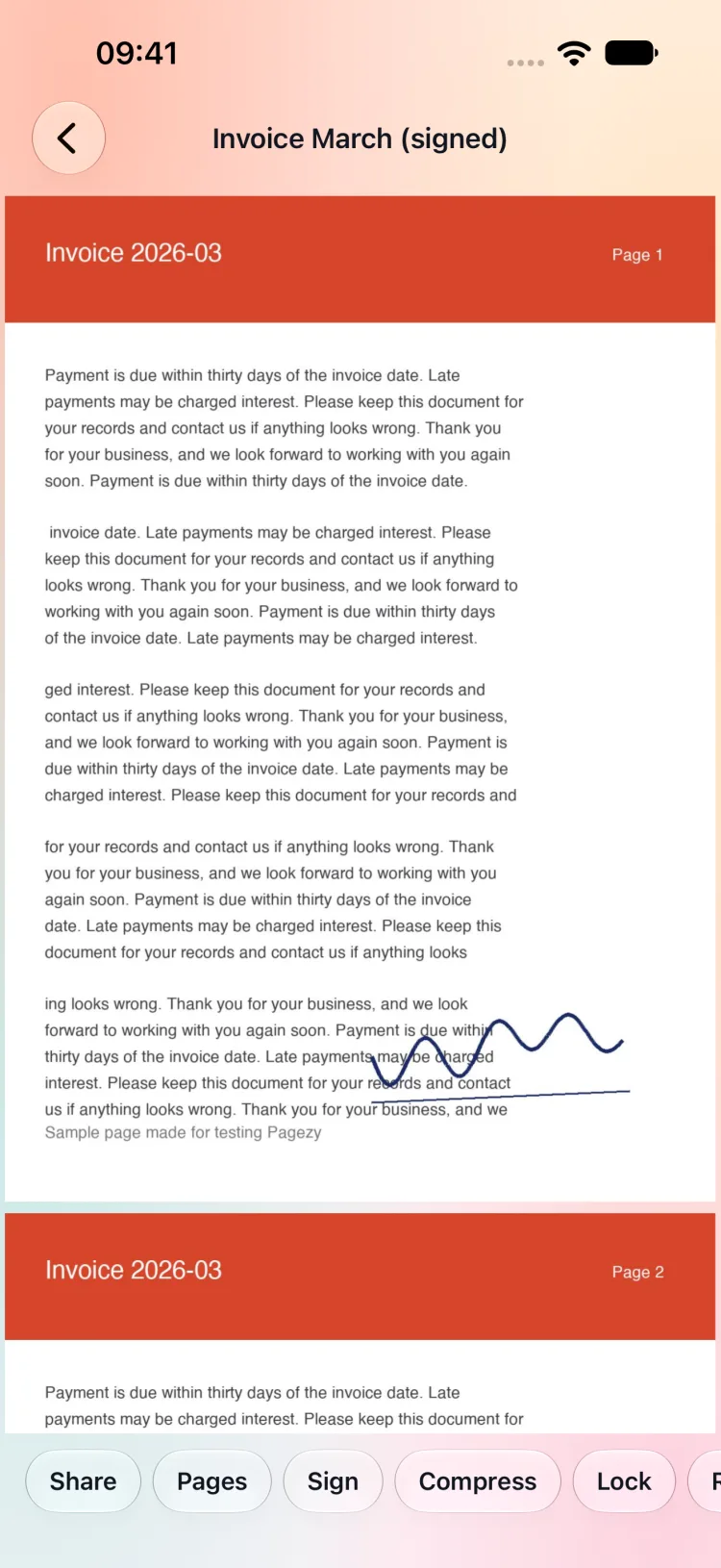
Draw your signature, drag it to the right place on the page and size it. The page stays sharp, because the signature is drawn into a copy of the page, not a flattened picture.
Screenshots
This is the real Pagezy
Every screen below is captured straight from the app.
Welcome
Scan, edit and sign, with no account and no upload.
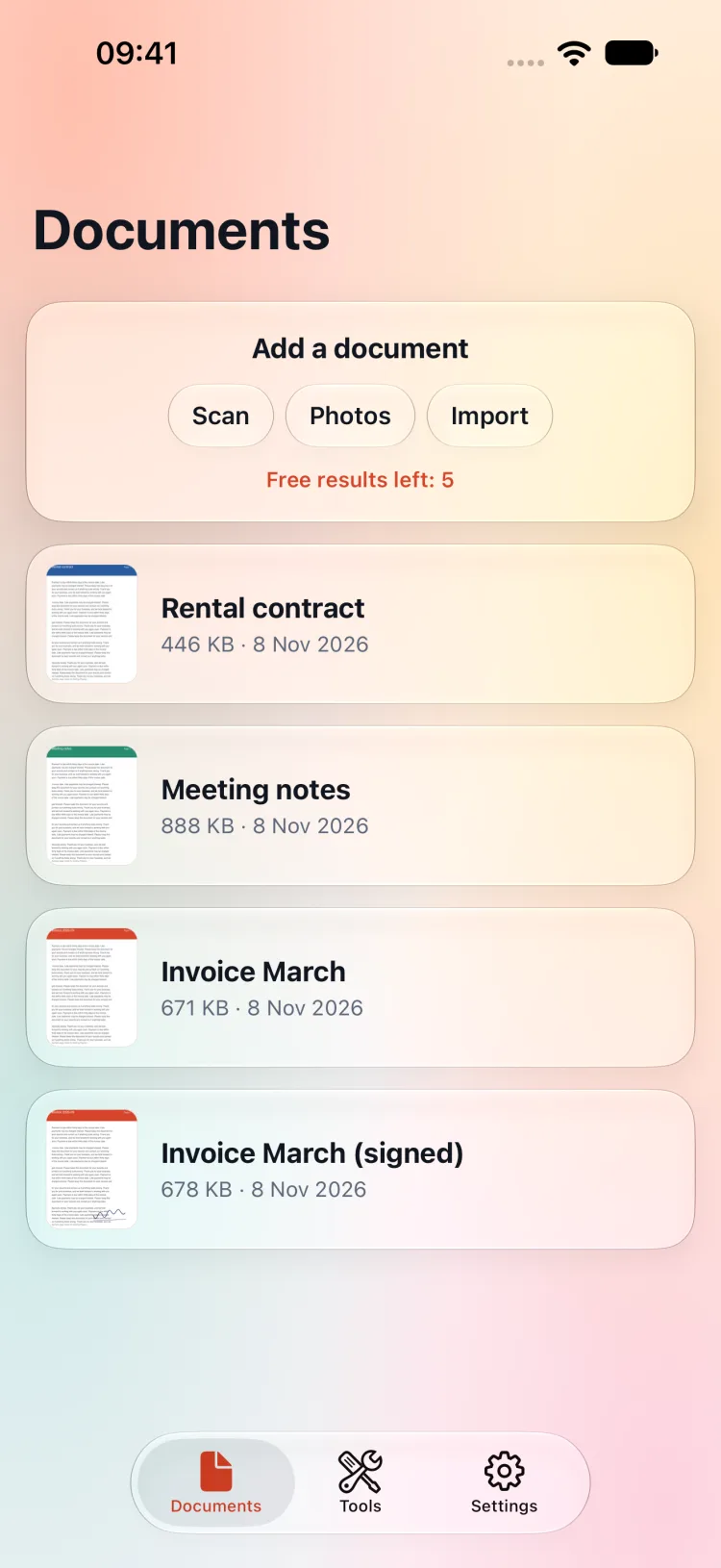
Documents
Your PDFs with a thumbnail of the first page.
Tools
Scan, merge, split, compress, sign and lock.
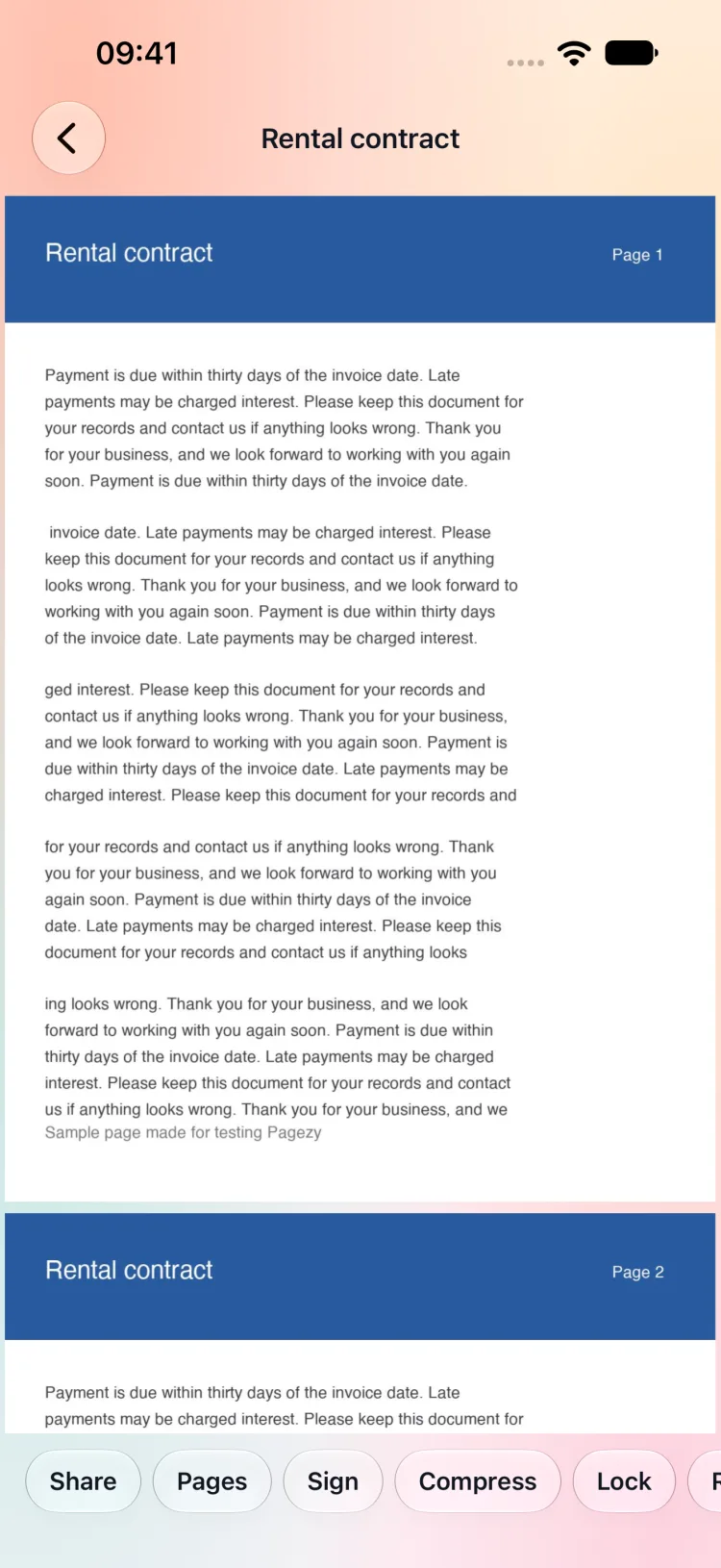
Reader
Open a PDF and share, rename or edit it from there.
Pages
Select pages to reorder, rotate, delete or extract.
Sign
Draw a signature and drag it onto the page.
Pricing
Try it first, pay if it helps
Your first five results are free. After that, pay once or choose a small yearly plan.
Free
$0
To see whether Pagezy suits you.
- Your first 5 results
- Reading, importing and sharing, always
- No watermark
Yearly
$3.99/ year
Unlimited results, renewing each year, and you can cancel any time.
- Unlimited scans, merges and edits
- Cancel in iPhone Settings
- No watermark
Lifetime
$9.99one time
Pay once and keep it. It never renews and restores on any device with the same Apple ID.
- Unlimited results, for good
- No renewal, no hidden fees
- No watermark
A result is a PDF you create or change: a scan, a merge, a saved edit, a compression, a lock or a signature. Looking at, importing, renaming and sharing a PDF never uses one. These are US dollar prices for reference; the App Store shows the final price for your country. The yearly plan renews automatically unless you cancel at least 24 hours before the period ends. There is no weekly plan and no free trial.
Privacy
Your documents stay on your phone
Pagezy needs no account and has no server to upload to.
Everything runs on-device
Scanning, merging, compressing, locking and signing all happen on your iPhone. Your PDFs are stored only there, in the Files app.
The camera saves nothing by itself
Camera frames and photos are processed in memory and saved only as the PDFs you ask for. Nothing is uploaded.
No ads, no tracking
No ads, no analytics, no selling data. Only RevenueCat confirms purchases, using an anonymous user ID.
Frequently asked questions
Is Pagezy free?
Your first five results are free and have no watermark. After that you can pay once for unlimited use, or choose a yearly plan. Reading, importing, renaming and sharing PDFs are always free.
What counts as a result?
A PDF you create or change: a scan, photos turned into a PDF, a merge, a saved page edit, a compression, a password or a signature. Opening, importing, renaming and sharing a PDF never use one.
Does Pagezy need an internet connection?
No. Every tool runs on your iPhone, so it works in airplane mode. The only time it goes online is to check or restore a purchase.
Where are my PDFs stored?
On your iPhone only, in the Pagezy folder of the Files app. Pagezy has no account and no server, so nothing is uploaded.
Does Pagezy collect my data?
No. There is no account, no ads and no analytics. Camera frames and photos are processed in memory and saved only as the PDFs you ask for. Only RevenueCat receives an anonymous user ID to confirm purchases.
How do I cancel the yearly plan?
On your iPhone open Settings, tap your name, then Subscriptions, choose Pagezy and cancel. The lifetime purchase never renews.
Turn the paper on your desk into a PDF
Scan it, fix it, sign it. Your first five results are free.